
When I designed my game, The Lost Card, one of the powers I had come up with was a sort of extending vine that acted like a grappling hook, able to pull the player toward specific rocks on the map. However, with my limited game development experience, this proved way too difficult. I was able to get the basic mechanic working, but I was never happy with how it looked.
Recently I’ve been going back over the game and updating a lot of things that were left unfinished. One was this vine mechanic. This time, I was able to figure out how to make it work the way I had originally intended! I’ll break down what I did in this post.
First implementation
Originally, I had the ability work like most of the other powers: a sprite was created in front of the player and then it progressed through an animation as it moved forward with a certain velocity. When the animation completed, the sprite was removed. If the sprite collided with an appropriate target on its path, then the grappling hook function activated.
First, the power’s sprite would freeze in place, and then the player would be moved toward the sprite at a certain velocity until they reached the sprite’s position. At that point, the power would end and the power’s sprite would be removed.
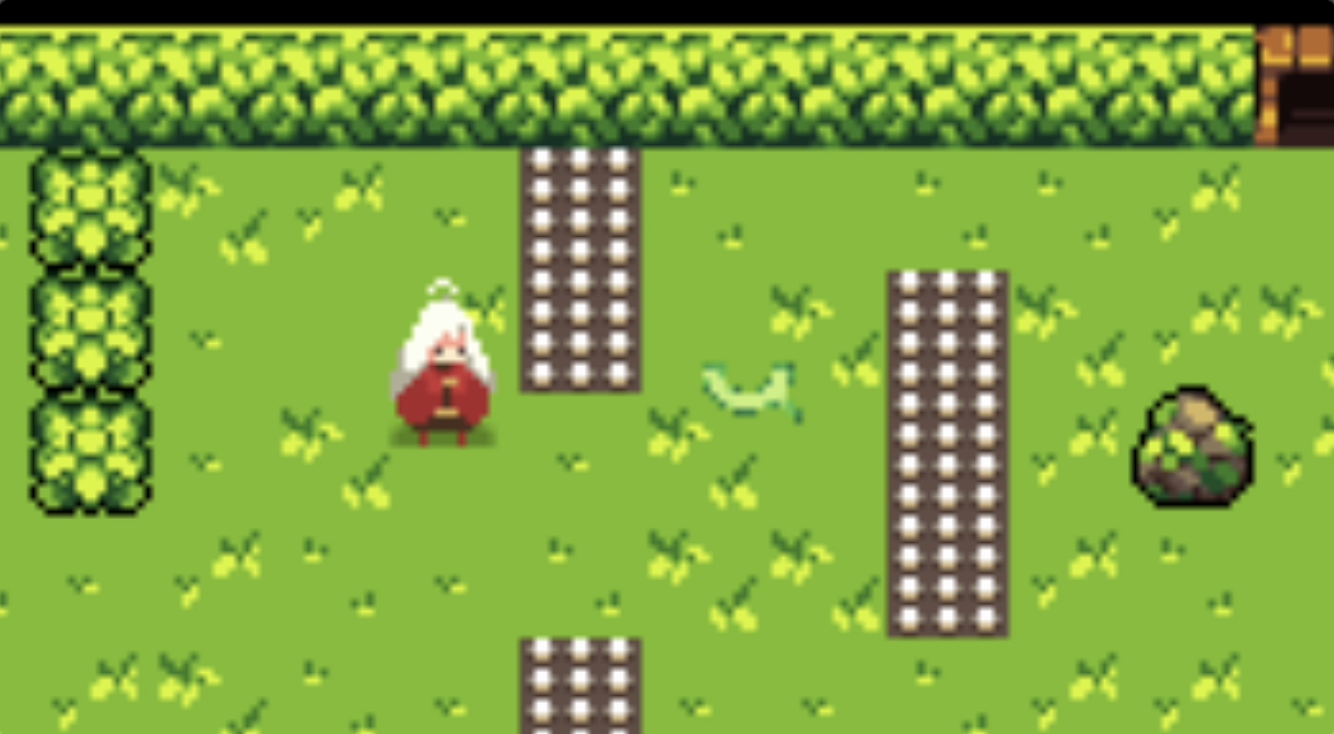
This works, but it doesn’t look that great, especially because I was unable to find a “vine” sprite that looked anything like a vine and still looked good animated inside a little rectangle. I had no clue how to make it extend and retract. If I stretched the sprite out, it would look terrible.
Updated version
I’ve worked with this game framework for a while now and I have learned a lot, so during this second pass I’ve had some ideas about other ways that the vine mechanic could work.
The new system works like this: we still create a sprite and move it forward with a velocity, but this time the sprite is invisible. There’s nothing there to see! Then, on every frame of the game’s render loop, when the vine power is active, we draw a line between the player’s sprite and the invisible power sprite. After each frame, we erase that line. Rendered quickly, this makes it look like the line extends and retracts!
But there’s a wrinkle. I wanted a vine, not a line.
This was not too difficult to solve, in the end. First, we need a sprite to represent a segment of the vine. I bought a vine sprite from itch.io’s asset collection. To make the animation look smooth, this sprite needs to be as small as possible while still resembling a vine, so I cut out an 8 pixel-wide chunk.
Then, we calculate the distance in pixels from the player to the power sprite. We can divide that distance by the width of the vine sprite (8 pixels) to figure out how many copies of the sprite we need to tile to draw a line of vine images in the area we need. Then I wrote a loop to render an array of vine images between those two points, each one touching the end of the last. Between frames, we clear out all of those images. I think it looks pretty good!
In case it’s not super visible in the videos (the vine retracts pretty fast!), here’s a before and after comparison. You might not even be able to see the old vine sprite since it’s green on a green background!
I’m certain that I could improve the vine sprite a bit to make it tile better and perhaps tweak the speed and positioning, but it’s already loads better than I had been able to do originally. You’ll also notice that I updated the player sprite when the vine animation occurs so that it looks like they’re dashing forward.

Note that this version of the game is not released yet! You’ll have to wait a bit longer as I continue to update things. The 2.0 version should be a lot more fun and interesting, I hope!
 Payton.Codes
Leave a comment